
Android photo backup · straight to USB
Your photos.
Your copy.
Your USB drive.
FotoSafe guides you through a local copy of your photos and videos — without a computer or FotoSafe media cloud. Originals stay on your phone.
Try it fairly: one successful backup run with up to 100 photos or videos is free. FotoSafe Pro then unlocks further runs with a one-time Google Play purchase — no subscription.
A backup you can see
Not somewhere. Exactly where you choose.
FotoSafe copies accessible photos and videos to USB storage selected by you. It does not move files, delete originals or upload your media.
Useful when you want an additional local copy without switching on a computer.
Three clear steps
From phone to USB — guided, not guessed.
- 1
Connect USB
Connect USB-C directly or use a data-capable OTG adapter.
- 2
Review selection
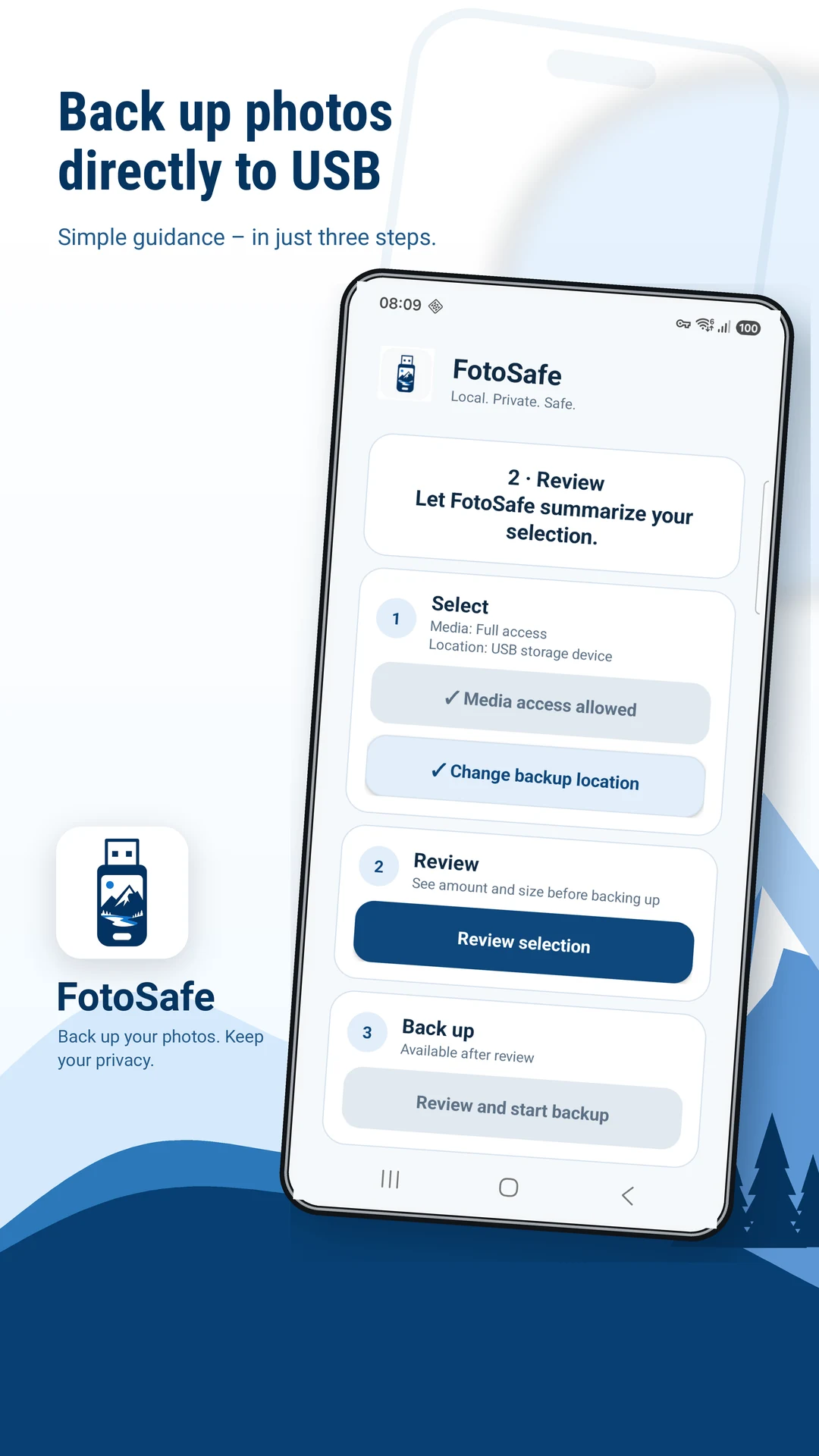
Allow media access, select the USB destination and check the preview.
- 3
Copy and verify
Keep the drive connected and check important files afterwards.
See before you copy
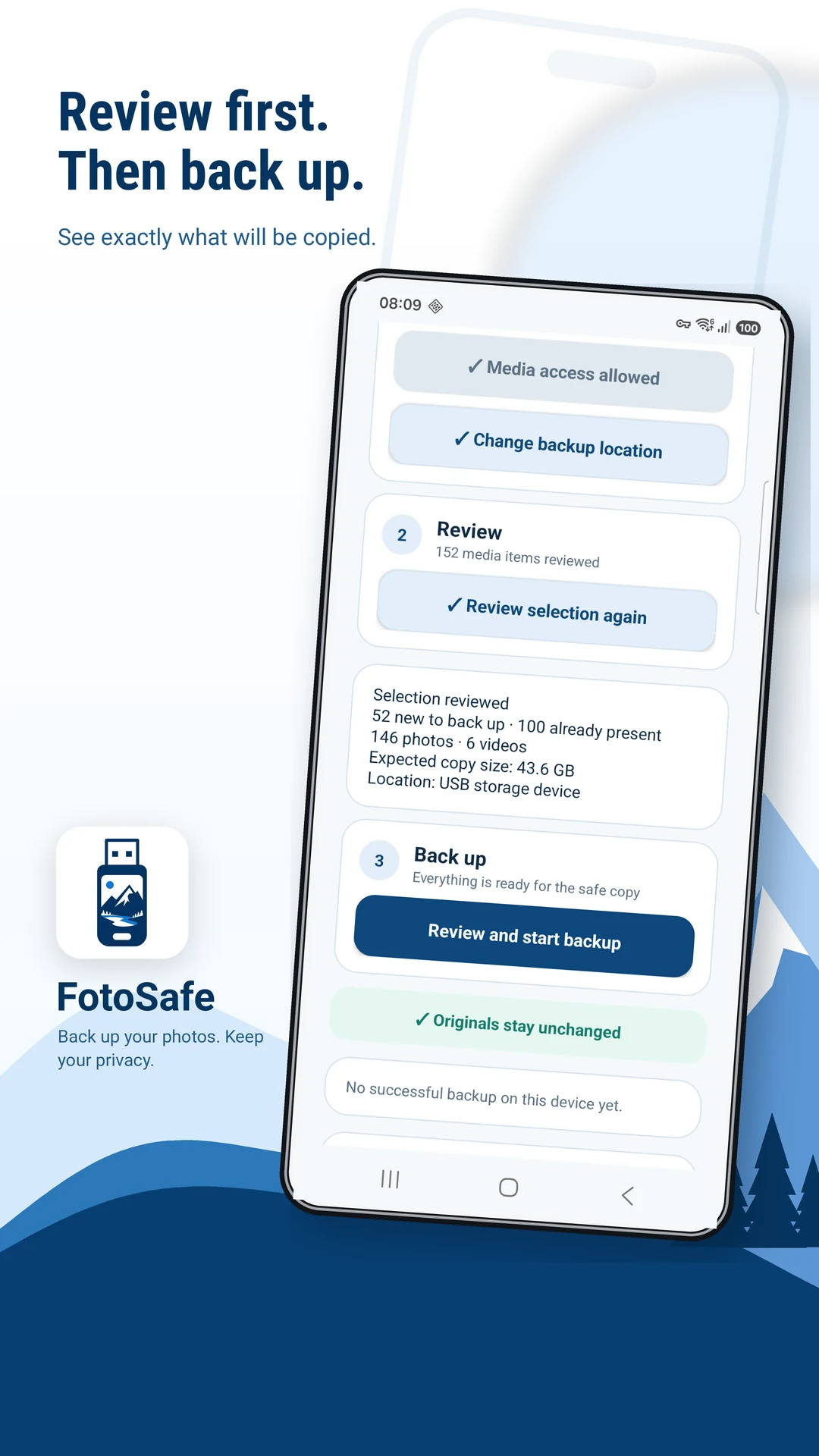
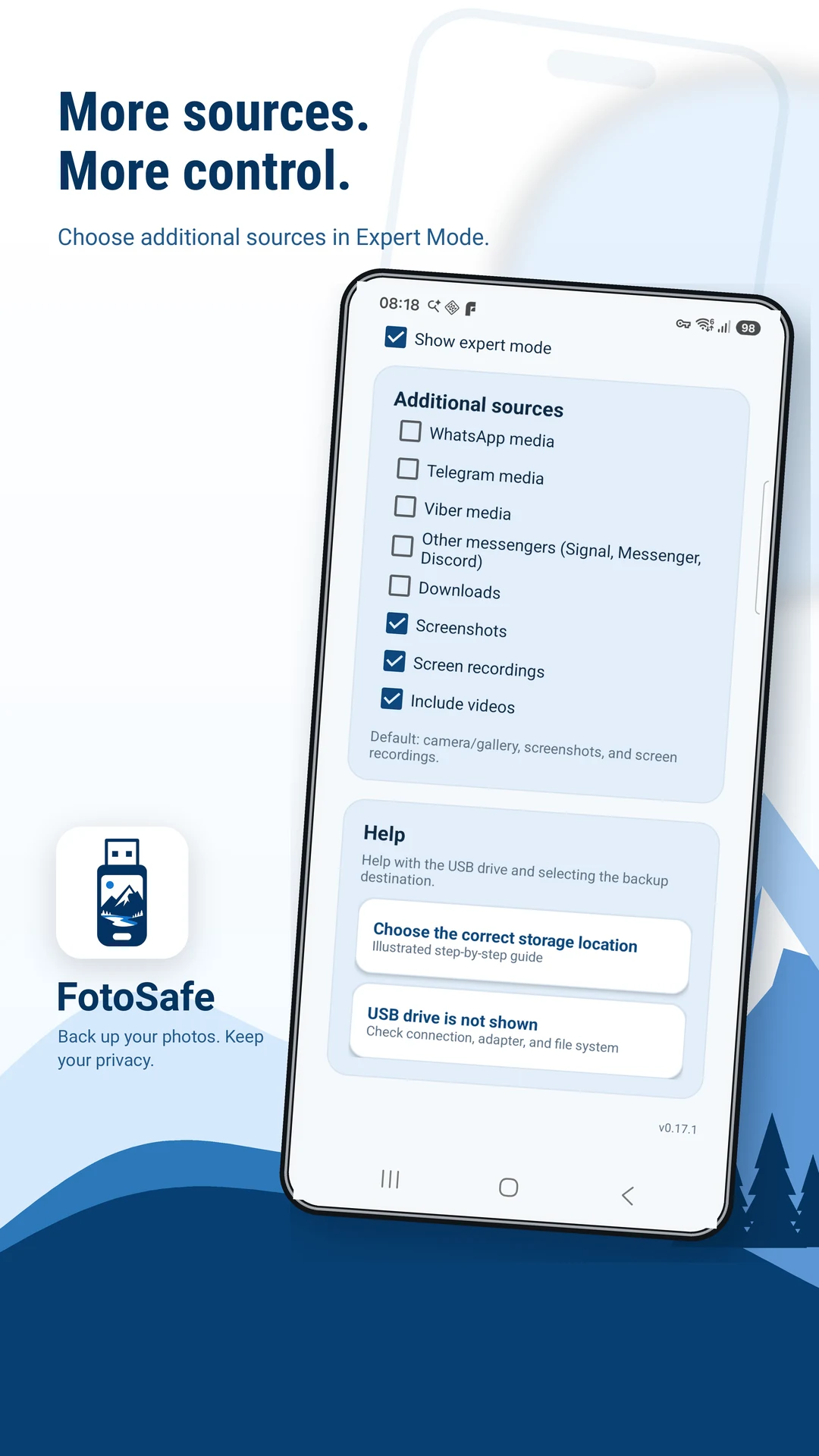
Three screens. One clear workflow.
Start with the guided flow, review destination and file counts, then choose additional folders in Expert mode when needed.
One more local copy
Useful protection without replacing a complete backup plan.
Your phone remains the original location. The USB drive becomes an additional copy you control. For irreplaceable memories, keep another verified copy in a separate place as well.
Copy first, verify second
Open several photos and large videos from the USB drive before deleting anything from another device or location.
Frequently asked
Short answers before you start
Does FotoSafe delete my originals?
No. FotoSafe copies accessible photos and videos to the selected destination; originals remain on the phone.
Does FotoSafe upload my media?
No FotoSafe media cloud is involved. The app copies directly to storage selected through Android.
What is included in the free trial?
One successful backup run with up to 100 media files. Further runs require FotoSafe Pro.
Is FotoSafe Pro a subscription?
No. Pro is a one-time Google Play in-app purchase. Google Play shows the current price.
What if Android does not show my USB drive?
Check the drive in Android's file manager, reconnect it and verify that any OTG adapter supports data rather than charging only.
Clear trial. Clear choice.
One run free.
Then Pro once.
Free trial run
Up to 100 media files
One successful backup run, not 100 files on every run.
FotoSafe Pro
One-time purchase
Further backup runs, no subscription. Google Play shows the current price.

Ready for your own copy?